
Fault Finder
Guided, safety-first diagnostic conversations.
- Symptom questions that narrow the cause
- Enter test readings as you go
- Next-step suggestions and isolation reminders
Features
Fault Finder, Learn and built-in manual and product research, plus the tools to feed them — designed for licensed electricians and supervised apprentices working in Australia and New Zealand.
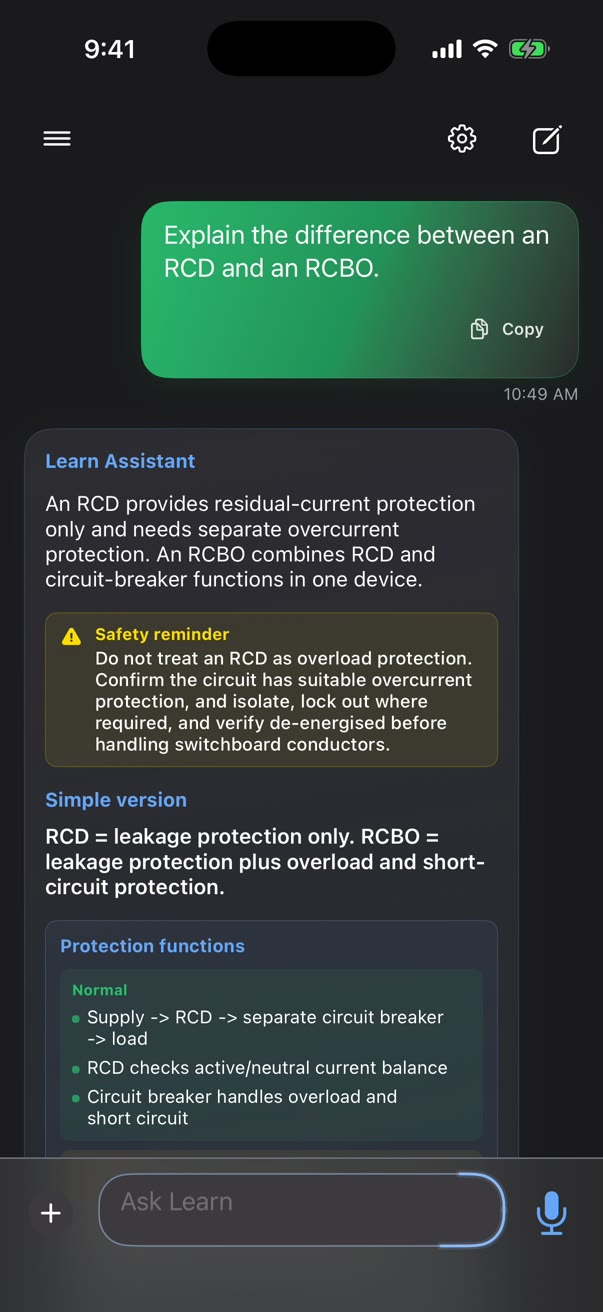
Guided, safety-first diagnostic conversations.
Technical concepts explained clearly.
Look up any make and model.
Tools
Pro and Max plans include image, document, voice and speech tools across every assistant mode.
Take or attach a photo of a board, label or fault so the assistant can see what you see.
Attach datasheets and documents and ask questions about them.
Talk instead of typing when your hands are busy, and have answers read aloud.
Your history
Conversations are saved so you can come back to a job later. Sign in to keep your history in sync across reinstalls.
Safety first. TradeGuru is a professional support tool, not a substitute for required licensing, safety procedures, manufacturer instructions or local regulations.
Download
Available now on iPhone and Android.